OAuth2 Datasource is a special datasource type that supports OAuth2 authentication. Use it to connect PocketQuery to REST APIs such as Microsoft Entra ID, Slack, Azure, Google, or other OAuth2 providers.
REST OAuth2 datasources support two grant types:
-
Refresh Token (default): PocketQuery uses a refresh token to obtain new access tokens when they expire. Provide an initial Access Token, a Refresh Token, or both.
-
Client Credentials: PocketQuery obtains access tokens from the Client ID and Client Secret automatically. You do not enter or renew tokens by hand. This is the typical flow for service-to-service APIs.
Datasources created before grant types were configurable continue to use the Refresh Token flow.
Configuration
To configure your connection, navigate to the Datasources tab in the PocketQuery administration. In the Datasources Overview, click Create to create a new Datasource, then choose type REST OAuth2.
|
Field |
Value |
|---|---|
|
Name |
A name that describes the datasource. Shown when you choose a datasource for a query. |
|
Type |
Select REST OAuth2. This option reveals the OAuth2 fields below. |
|
Base URL |
The base URL of your API. Paths from your Queries are appended to this URL to form the full request URL. |
|
Test path |
Appended to the Base URL when you click Test connection. |
|
Grant Type |
Required. Choose Refresh Token or Client Credentials. Existing datasources without a stored grant type use Refresh Token. |
|
Client ID |
Required. OAuth2 client identifier. Sent to the Authentication URL when PocketQuery obtains or renews an access token. |
|
Client Secret |
Required. OAuth2 client secret. Sent to the Authentication URL together with the Client ID. |
|
Access Token |
Refresh Token grant only. Optional Bearer token used for API requests. Hidden when Grant Type is Client Credentials. |
|
Refresh Token |
Refresh Token grant only. Optional token sent to the Authentication URL to obtain a new access token. Hidden when Grant Type is Client Credentials. |
|
Authentication URL |
The OAuth2 token endpoint used to obtain a new access token. Use a complete URL that points directly to the token endpoint on a publicly reachable host. PocketQuery does not follow redirects for token requests and refuses hosts that resolve to private or reserved addresses. |
|
Scope |
OAuth2 scope sent when requesting a token. Use spaces to separate multiple values. Most providers require a scope for the Client Credentials grant type. |
|
Description |
Optional description for your team. Do not put credentials or other sensitive information here. |
For the Refresh Token grant type, neither Access Token nor Refresh Token is required. If you have a long-lived access token that never expires, you do not need a refresh token. If your access tokens expire quickly, you can leave Access Token empty: PocketQuery obtains one from the Authentication URL using the Refresh Token.
Grant types
Refresh Token
Use this grant type when your provider issues a refresh token (for example after an authorization-code login). PocketQuery uses the Refresh Token field to obtain new access tokens. Provide an initial Access Token, a Refresh Token, or both.
Client Credentials
Use this grant type for service-to-service APIs that authenticate with a client ID and client secret only. PocketQuery obtains access tokens from the Client ID and Client Secret automatically. The Access Token and Refresh Token fields are hidden, because entering tokens by hand would have no effect.
OAuth2 Flow
After you provide the datasource details, you can test the connection or use the datasource in a query.
The following diagram shows the Refresh Token flow:
.png?cb=ddafa7833b42baf27e5a03790ac6febb)
The Client Credentials flow is shorter:
-
PocketQuery sends the Client ID, Client Secret, and optional Scope to the Authentication URL.
-
The provider returns an access token.
-
PocketQuery uses that token as a Bearer token for requests to the Base URL.
-
When the token expires, PocketQuery requests a new one automatically. Tokens are obtained on demand and are not stored on the datasource.
Request Tracking
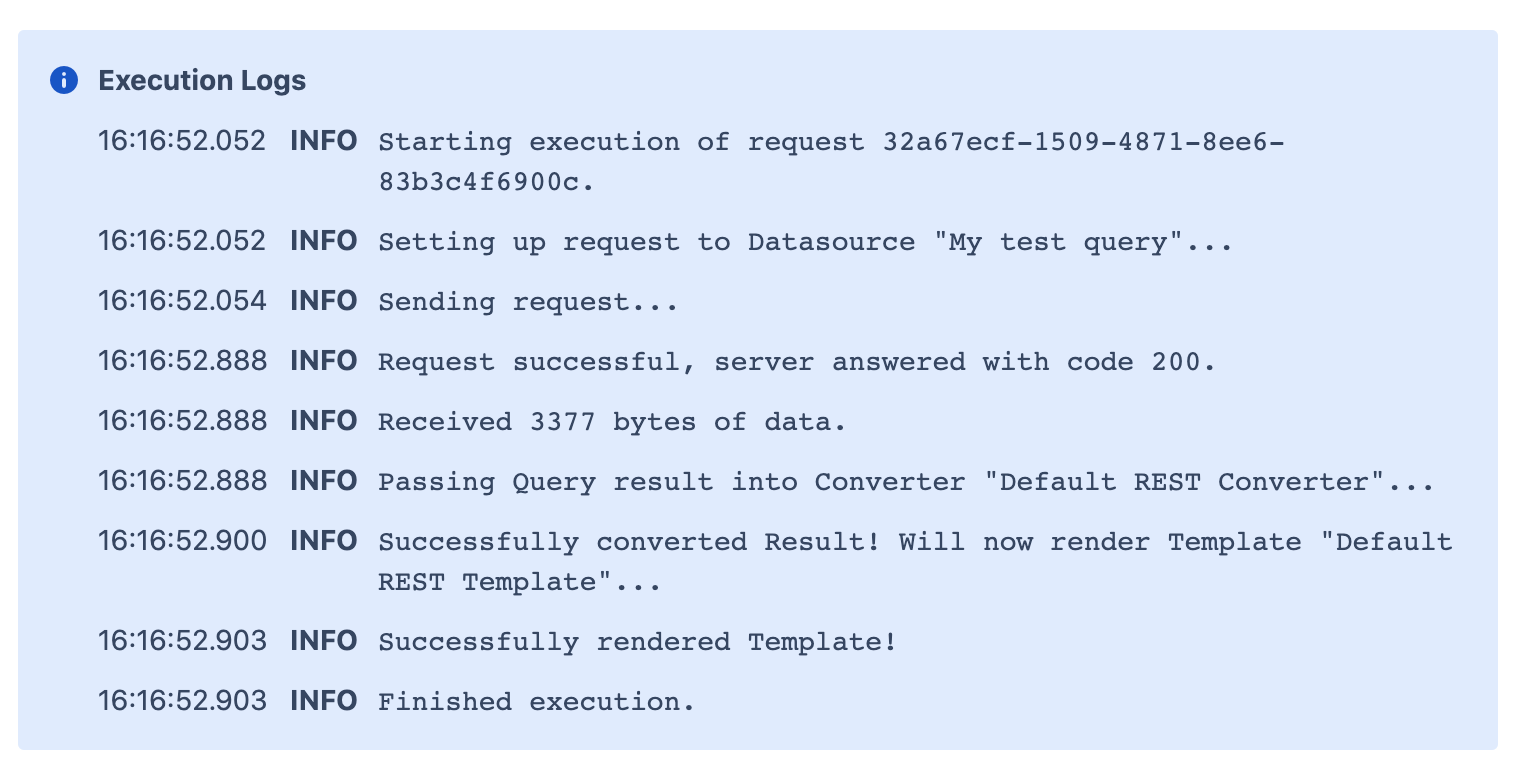
You can track your OAuth2 requests in the Macro debug mode. Whenever your access token is refreshed, you can see the following log records:
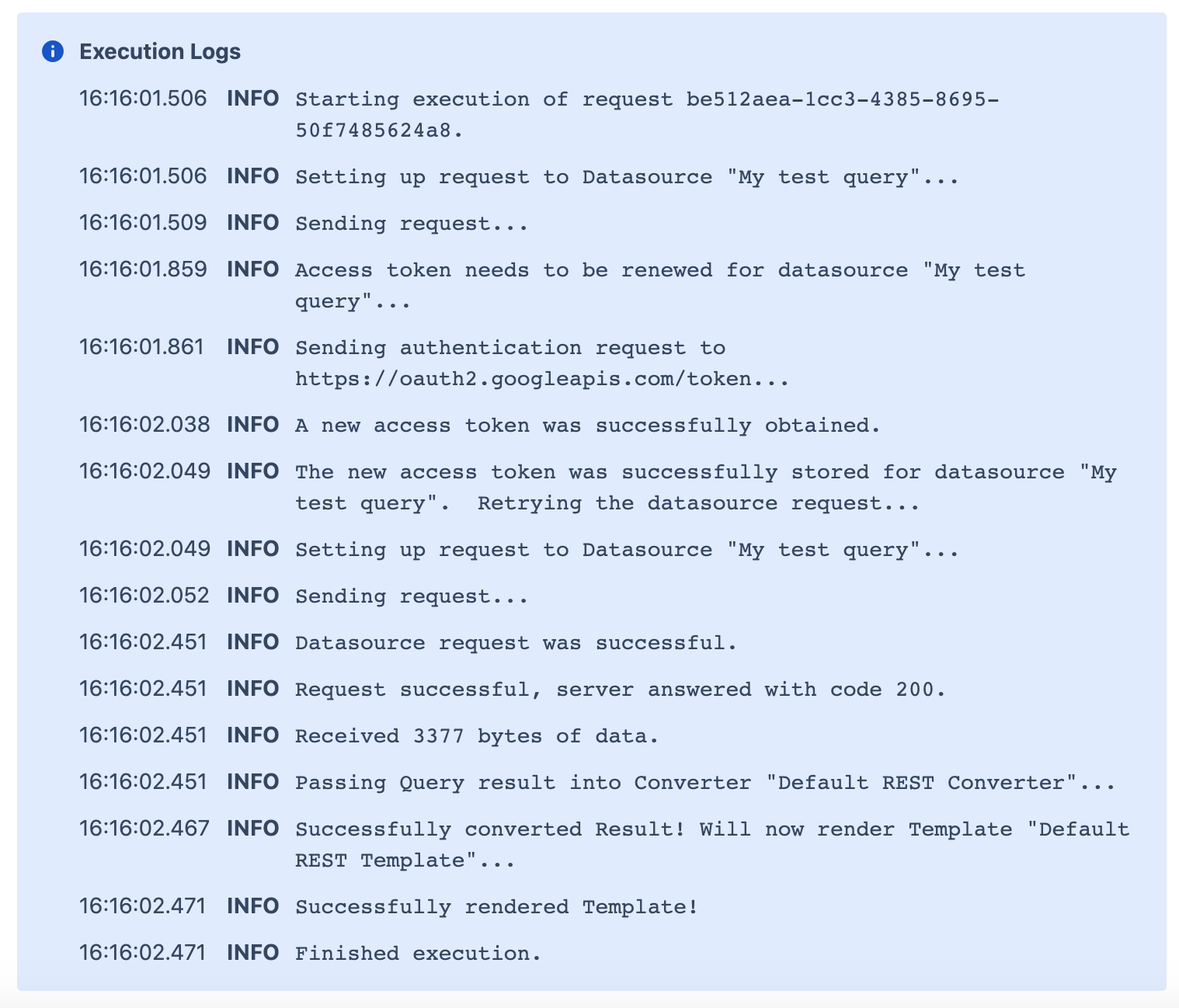
When your access token is reused and no refresh is needed, you can see the following: