
Page Branching can be configured at two levels: globally for the whole site and per space. Site administrators set the site-wide default, and space administrators decide how branching behaves inside their own space.
Global administration
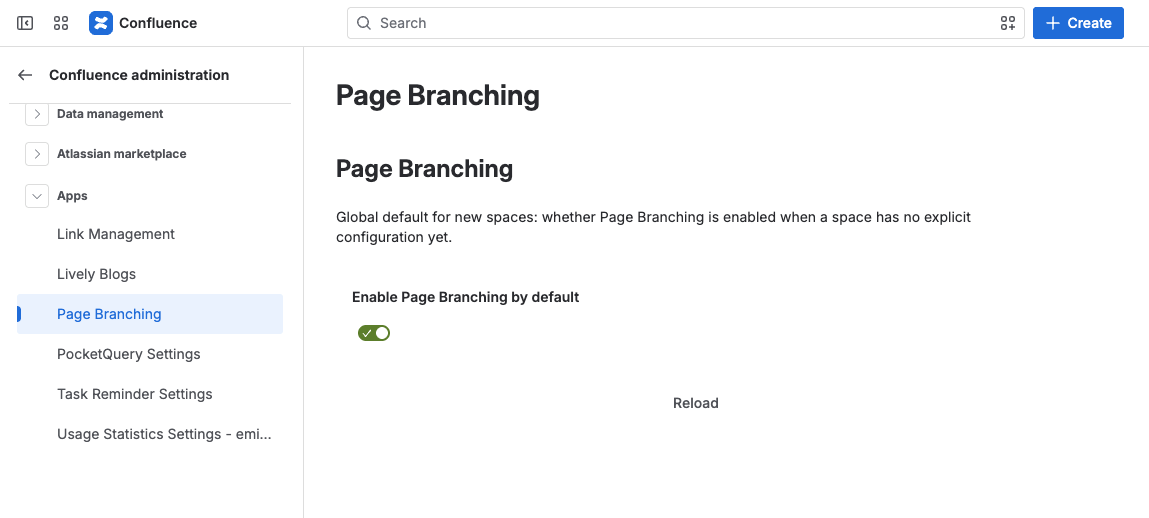
Site administrators can open Page Branching global settings (from Settings → Apps → Page Branching, or the app’s global settings entry) to decide whether Page Branching is enabled by default in all spaces.
If you turn this off, Page Branching is only available in spaces where a space administrator explicitly enables it – ideal for a controlled rollout.
Space administration
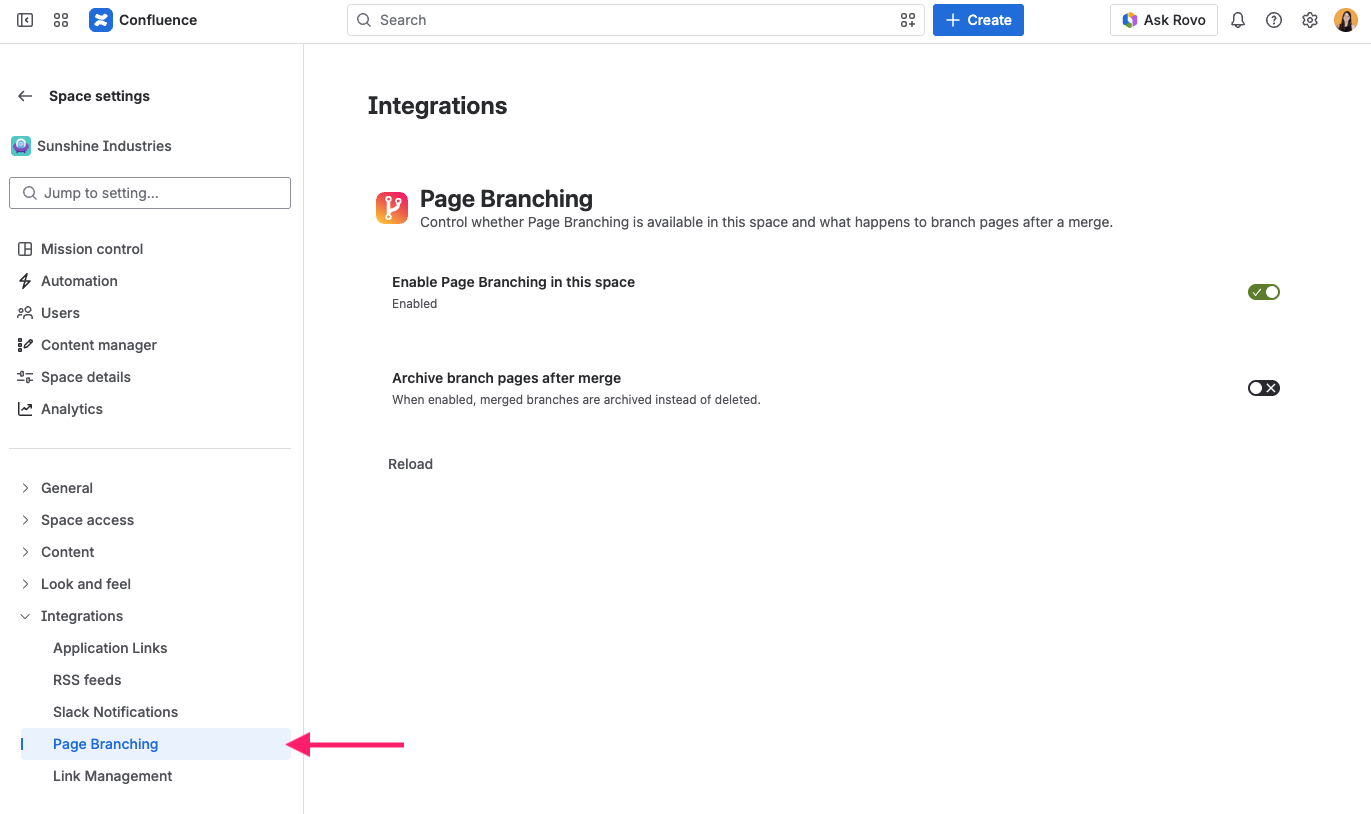
In each space, open Space settings → Apps → Page Branching to configure:
-
Enable Page Branching in this space – turn branching on or off for the space
-
After merge – choose whether merged branches are archived (moved to an archive area under Branches) or deleted
-
Merges require approval – require a named approver to approve a branch before it can be merged
We have found that Archive meets the needs of the majority of teams: it keeps a history of what was merged, which is great for audits and rollbacks. Pick Delete if you prefer a minimal page tree.
Merge approval
Teams working under review or compliance requirements often need a documented four-eyes check before a change reaches a live page. Turn on Merges require approval, and no branch in that space can be merged into its original page until a named approver has approved it.
The setting is off by default. Once it is on, it applies to every merge of a branch into its original page in that space. Updating a branch from its original page is not affected.
Name the approvers
While the setting is on, an Approvers list appears below it. Search Confluence users by name and click Add, and use Remove to take someone off the list again. A space can have up to 50 approvers.
Until at least one approver is named, branches in this space cannot be submitted for approval and therefore cannot be merged.
What the approval gate guarantees
-
Only users on the Approvers list can approve a branch or request changes.
-
The person who created a branch can never approve it. Submitting a branch for approval, on the other hand, is open to everyone who can see it.
-
An approval is recorded against the exact branch version and original page version that were reviewed. A later edit on either side invalidates the approval and blocks the merge again.
-
An approver who created a branch themselves may merge it without a separate approval, but still cannot review it. That exemption is personal: anyone else merging the same branch needs a real approval.
The day-to-day workflow for authors and approvers is described in Merge Approval.
Approval activity log
Every submission, approval, request for changes, and merge in the space is recorded with the person who acted, the timestamp, the page versions involved, and any comment that was given. The log appears as Approval activity on the space Branches page and is visible to space administrators only, because it names branches and quotes approval comments from across the whole space. Entries remain in the log after a branch page has been merged, archived, or deleted, so the trail outlives the pages it describes.
Permissions requested on upgrade
Merge approval needs two additional Confluence permissions: one to search users for the approver picker, and one to post the comments that notify approvers. A site administrator has to confirm these permissions when the app is upgraded. Until that happens, the new version is not applied.
Permissions
Page Branching uses Confluence’s standard permission model.
-
Users need normal create and edit permission on the original page to create a branch.
-
Space settings can only be changed by space administrators.
-
Branch pages inherit access from the space Branches parent page, so they follow your existing space permissions automatically.
If you need branches to be visible to a smaller group, set page restrictions on the Branches parent page or on individual branches, exactly like you would on any other Confluence page.
Where branches are stored
Branch content is kept as regular Confluence pages under a parent page titled Branches in each space. Because branches are real pages, your existing Confluence backup, search, and audit tooling already covers them – no separate data store to worry about.