
PocketQuery lets you add dynamic values to your Query Statement with the :parameter syntax.
You can then:
-
define each parameter’s type in the query configuration
-
optionally set default values
-
expose selected parameters in the PocketQuery Macro so users can change them at runtime
Where to start?
Add parameters directly in your query statement with :parameter.
Example (SQL):
SELECT author_id, name
FROM author
WHERE author_id > :min_author_id
Example (REST):
/countries/:region?limit=:max_results
Then go to your query’s Parameters section and define type and optional default value.
JDBC / SQL behavior
SELECT author_id, name
FROM author
WHERE author_id > :min_author_id
Here we have a single parameter called min_author_id. Notice how we expect it to be of type Integer as we are using the > operator on it. For this reason, you will need to set the type of this parameter to Integer under the Parameters tab in your Query:
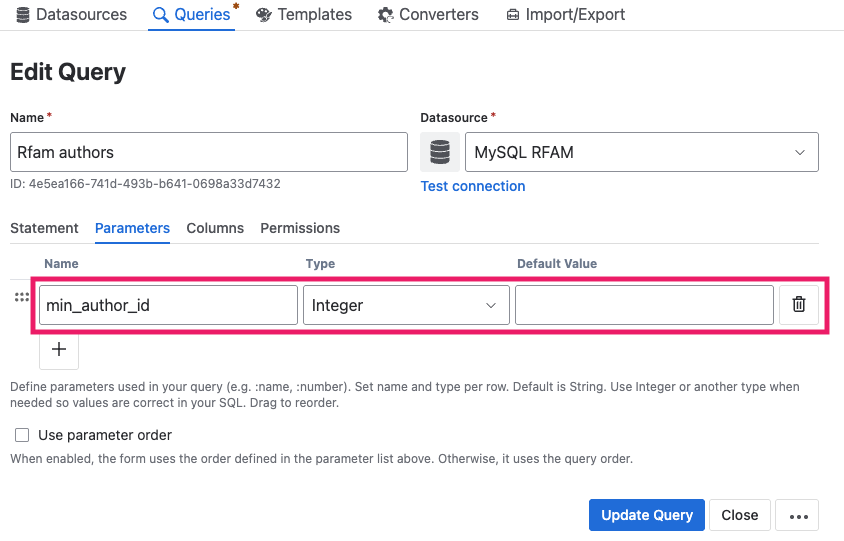
If you want to see an example of how this works, please refer to this part of our Getting Started Guide.
REST behavior
In REST statements, parameters can be used in path and query sections, for example:
/countries/:region?limit=:max_results
Here we have two parameters:
-
region -
max_results
In contrast to JDBC/SQL Queries, these values do not need a type. They will always be URL-encoded and replaced.
XML responses
PocketQuery can also understand XML responses coming from REST Datasources. If PocketQuery receives XML it will try to automatically convert it into JSON before processing it further. Enable the debug mode of your macro to see details about the transformation.
Parameter types
PocketQuery supports these types:
|
Type |
Type details |
|---|---|
|
|
plain text |
|
|
whole numbers |
|
|
comma-separated text values |
|
|
comma-separated numbers |
|
|
|
|
|
must be |
|
|
fixed identifier values (advanced use case) |
Date Type Parameter
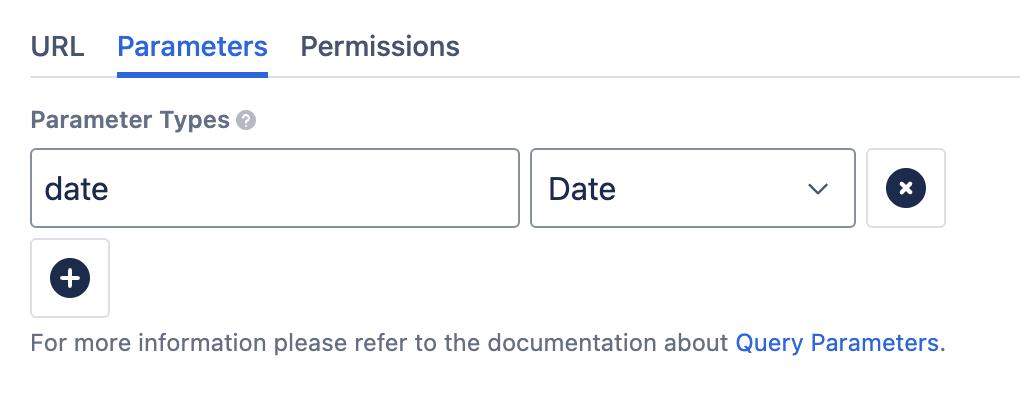
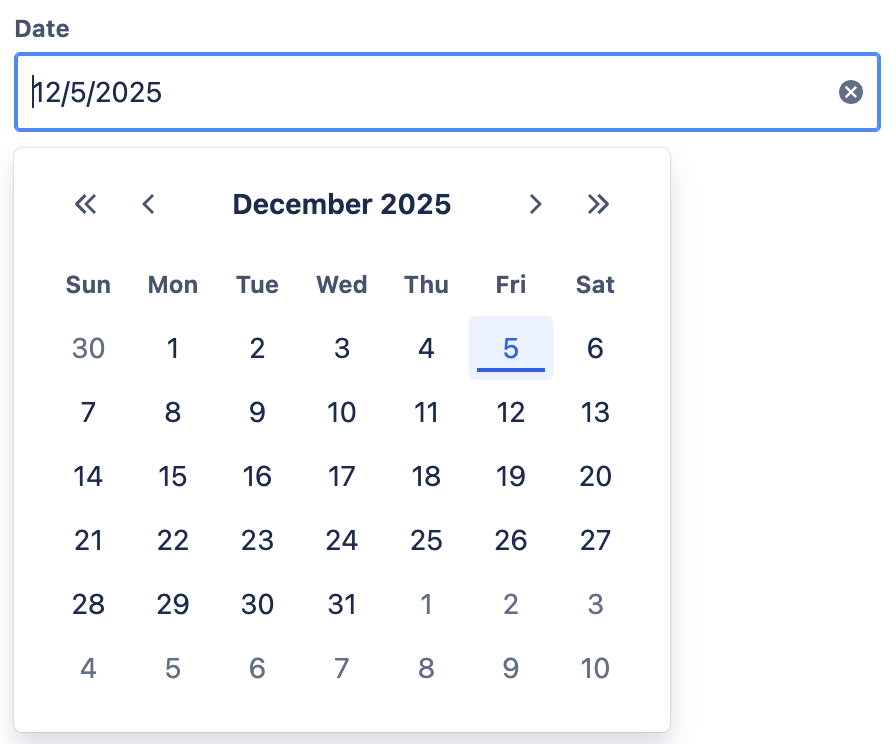
When a parameter is set to Date, a date picker will appear in both the Macro Editor and in editable parameters for users. This makes it easier to select and input dates when running a Query:
|
|
Quick tips
-
Use Integer for numeric comparisons like
>,<,=. -
Use List types for
IN (...)use cases. -
Use Date when you want a date picker in the macro.
-
Use Constant only if you need to inject identifiers (for example table/schema names).
Default values
You can define a default value for each parameter:
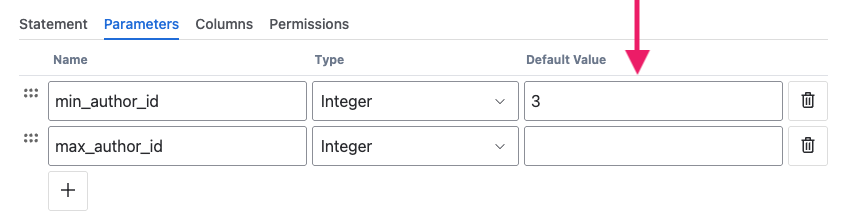
This is useful when:
-
you want your macro to run immediately with sensible defaults
-
users should only adjust values occasionally
-
you want a fallback value for optional inputs
PocketQuery validates defaults by type, so invalid values are highlighted early.
Parameter order
-
by default, fields follow query statement order
-
if the Use parameter order checkbox is enabled, fields follow the order defined in the parameter list
Using parameters in macros
When you add a PocketQuery Macro to a page, you can decide how editable parameters should appear:
-
show none
-
show all
-
show selected parameters only
Users can then update values and refresh the result without editing the query itself.
Learn how to use parameters in the PocketQuery Macro here.