
Looking for the documentation of Diary for Confluence Server or Data Center? Go here.
Welcome to Diary!
Diary is a Confluence Cloud app made to save you time and headaches on pages that have grown long and hard to maintain. Whether you are jotting down meeting notes, updating a changelog, or adding new and timestamped information to a page, there is no faster or easier way to do it.
Insert the Diary macro on a page and start writing. Every entry is stamped with the date, the time, and your name - and you add, edit, and delete entries without ever leaving view mode.
Diary runs natively as an Atlassian Forge app, and it stores every entry in the page itself, so your entries stay searchable, exportable, and recoverable from page history.
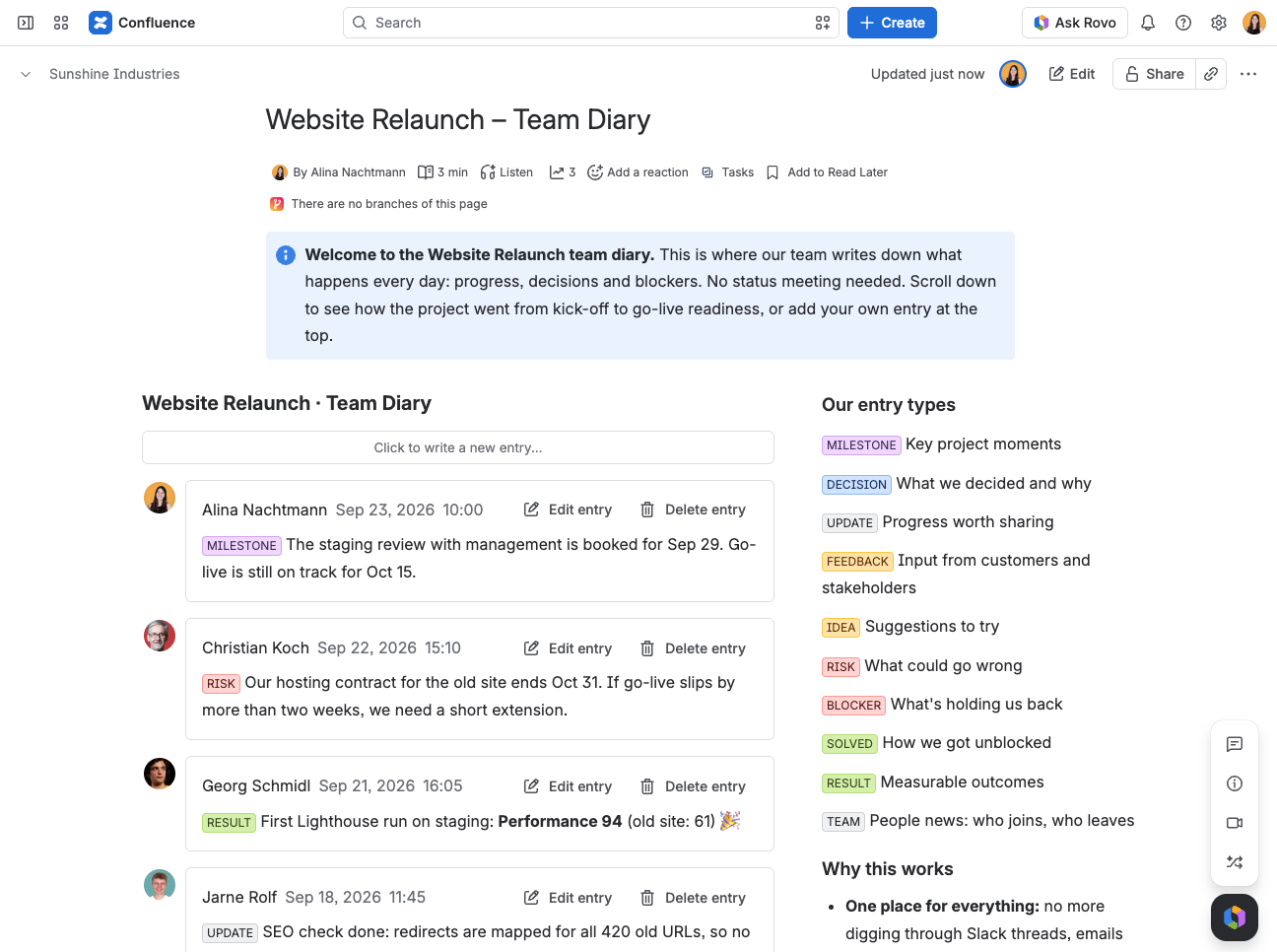
What you can do
-
Write entries from view mode - no page editor, no reload, no waiting
-
Edit and delete in place - fix a typo right where the entry sits
-
Choose a style - a compact Simple list, or Bubble, which boxes each entry beside its author's avatar
-
Start entries from a template, so every entry in a diary follows the same shape
-
Cap a long Diary with a page size and a More button
-
Tune it to your needs with ten macro parameters - the order of entries, where the editor sits, a title, the time format, and more
-
Export to PDF and Word, carrying the entries table and nothing else
-
Read it in English or German, following each reader's own Confluence language
Where to start?
-
Walk through our Getting Started guide to install the app and write your first entry.
-
Every parameter is described in Macro Settings.
-
Coming from Data Center? Read Migrating from Confluence Data Center to Cloud first, then browse the FAQ.
Availability
|
Hosting |
Available |
|---|---|
|
Confluence Cloud |
|
|
Confluence Server / Data Center |
|
Useful links
-
Our Service Desk is the best way to reach us if you have problems or would like to suggest a new feature.
-
Contact us by email via support@livelyapps.com.
-
Have a look at our other apps and discover more helpful tools