
If every entry in a Diary should follow the same shape - a status, a decision, a fixed set of headings - you can point the Diary at a Confluence page template and let each new entry start from it.
To learn how to create a template in Confluence, see Atlassian's official guide: Create a template.
Choosing a template
Open the macro configuration and pick one from Template For New Entries.
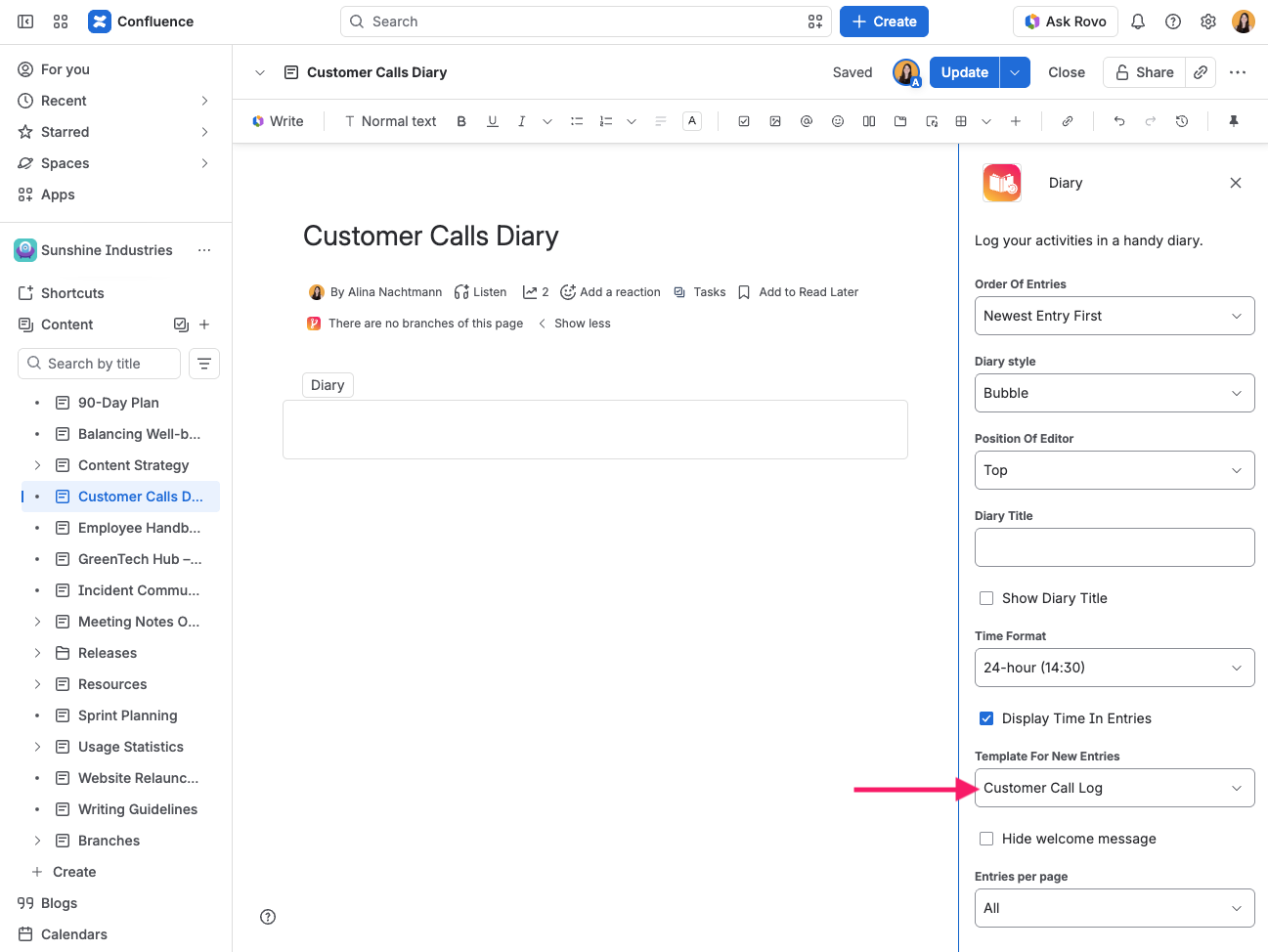
The dropdown lists:
-
the page templates of the current space, first
-
the site-wide templates, each prefixed Global
Choose no template to go back to starting from a blank editor. Blueprints are not listed - they are wizards rather than plain content, so they cannot seed an entry.
You only ever see the templates Confluence would show you anywhere else: the app reads them as you, not with elevated rights.
What the entry editor can hold
The Diary entry editor is Confluence's comment editor, which supports rather less than a full page does. A template is therefore reduced to what the editor can hold, rather than copied in whole:
-
Headings, paragraphs, lists, quotes and text formatting are kept as they are.
-
Anything the editor cannot hold is flattened to its words - a date becomes the date it displays, a mention the name it displays, a table its cells as a run of paragraphs.
-
Macros contribute nothing, because an entry has no way to render them.
A template written for a page will therefore seed an entry that reads like the template rather than one that looks like it. If you want an exact match, write a small template specifically for diary entries.
Example
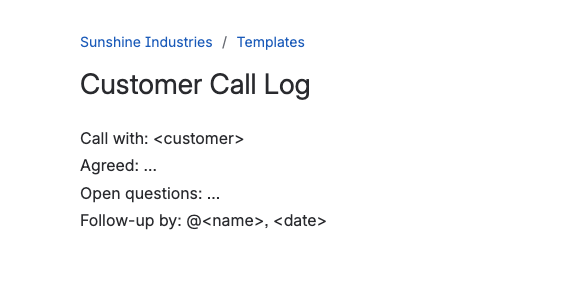
Say your team logs customer calls in a Diary, and every entry should capture the same few points. A page template for that could look like this:
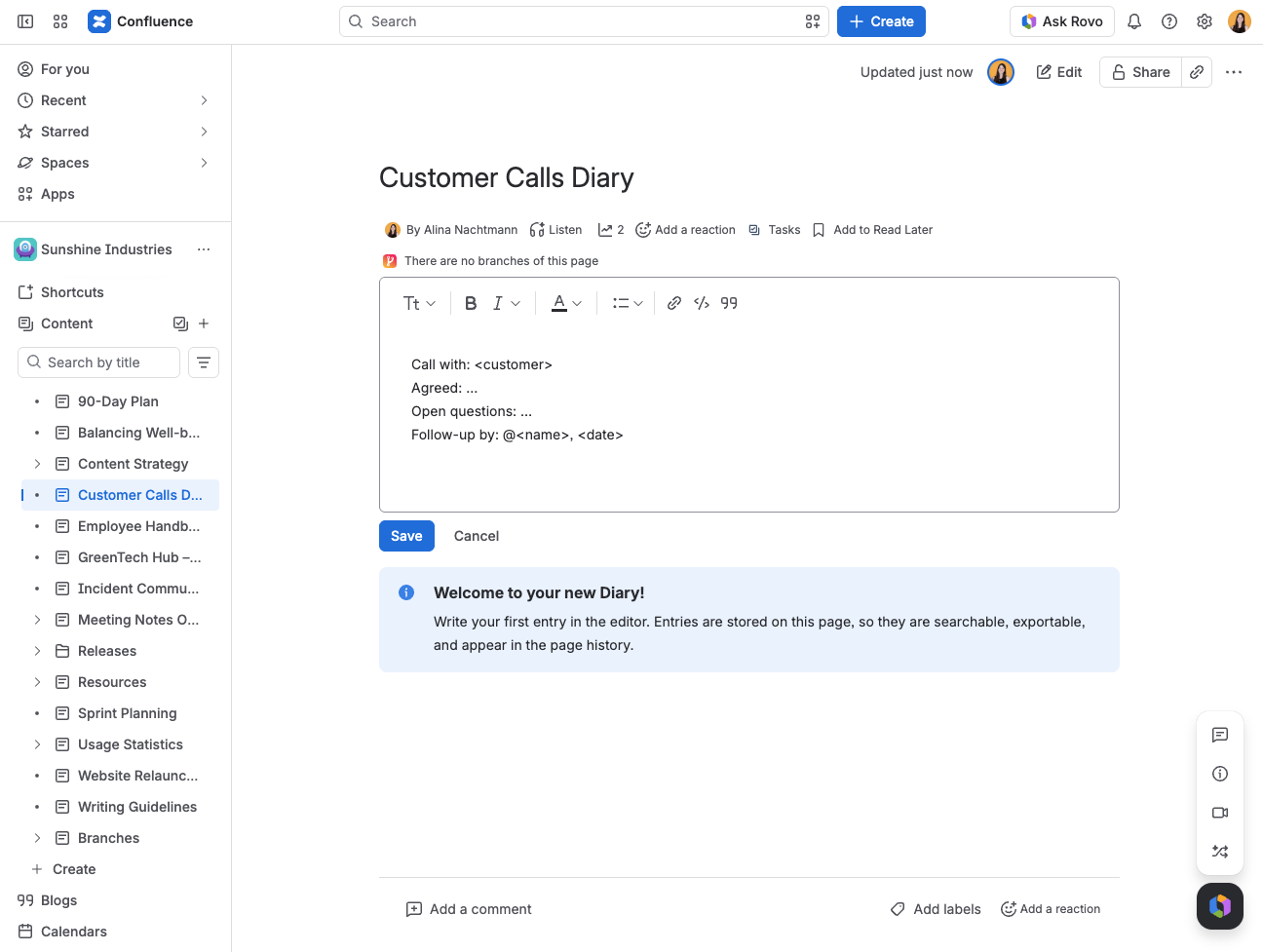
Once you select this template in the macro configuration, every new entry opens with the template already filled in. You only need to complete the blanks:
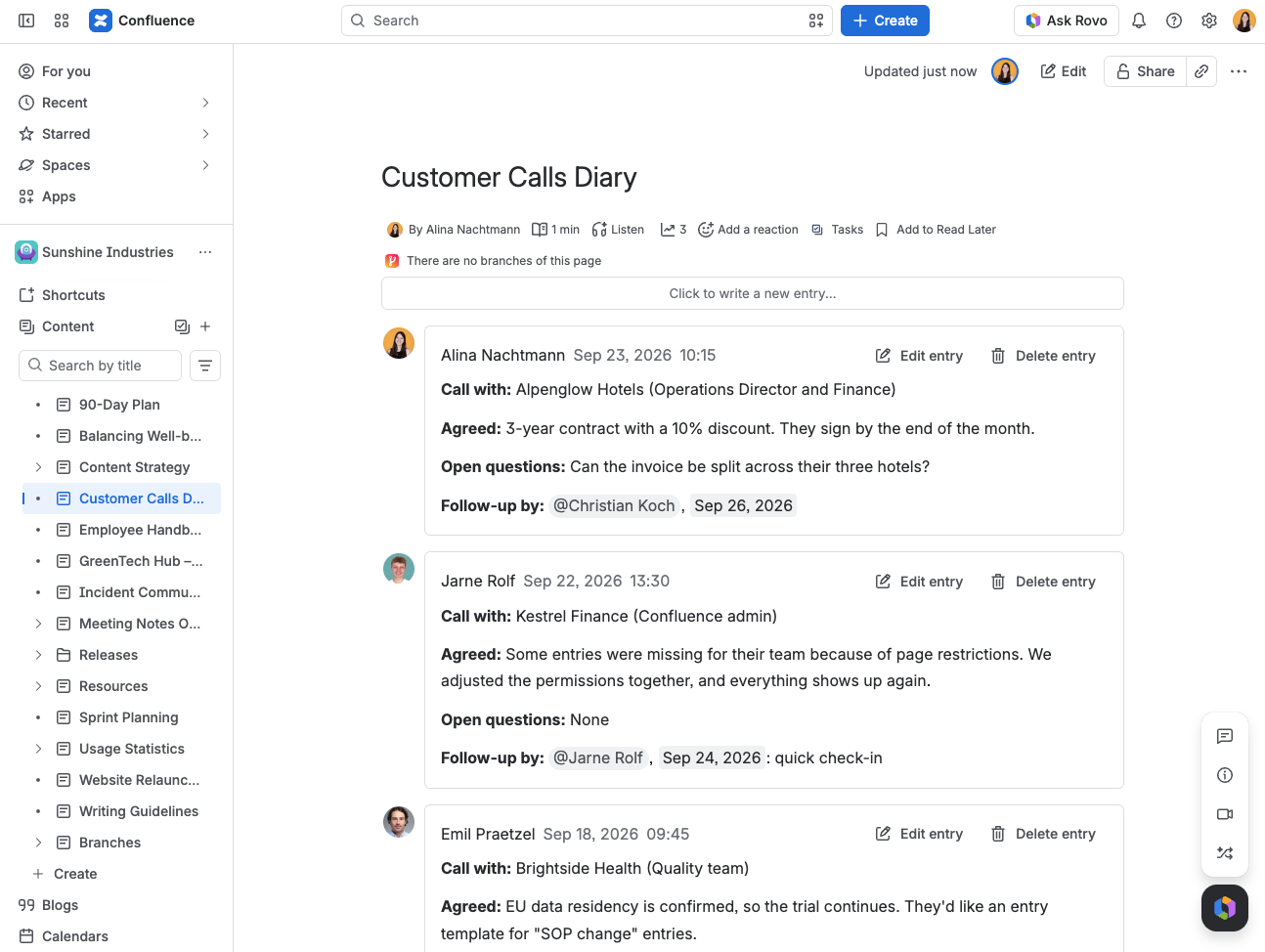
Because every entry follows the same structure, the Diary stays consistent and easy to scan, no matter who writes the entry:
If a template cannot be read
Seeding is best-effort. If the chosen template has been deleted, or cannot be read for any other reason, the editor simply opens empty and you can still write your entry. You will not get an error, and nothing else about the Diary is affected.