
Macro settings let you customise a Diary to your own needs. To change them, click the Diary macro on the page and choose the configuration button (pencil below the macro). A panel opens with every parameter in it, your changes take effect when you publish the page.
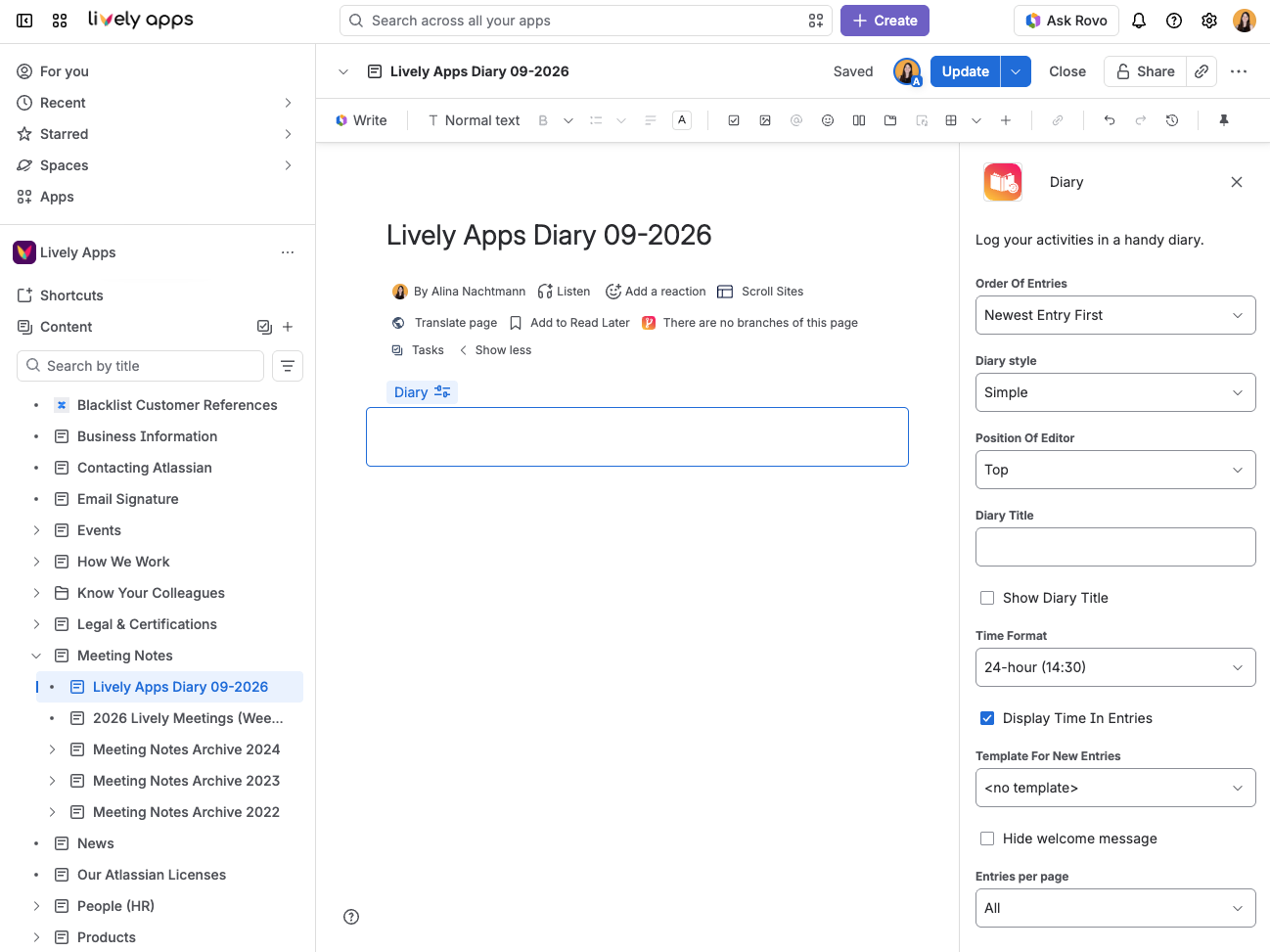
Settings are per macro, not per space or per site. Two Diaries on the same page can be configured completely differently. Changing a parameter never rewrites your entries, so it is always safe to experiment.
Available settings
|
Name |
Description |
Options |
|---|---|---|
|
Order Of Entries |
Decides in which order the Diary displays its entries. |
|
|
Diary Style |
The look of your Diary. See Diary Styles: Simple and Bubble for what each one looks like. |
|
|
Position Of Editor |
Where the prompt for a new entry appears. |
|
|
Diary Title |
The heading text. It is only shown when Show Diary Title is on. |
Any text |
|
Show Diary Title |
Whether a heading is shown above the diary |
On/off |
|
Display Time In Entries |
Whether each entry shows the time as well as the date. |
On/off |
|
Time Format |
How the time is written, when it is shown. There is no equivalent parameter for the date format. Diary writes each entry's date in the reader's own language and conventions, so the same diary reads naturally for everyone looking at it. |
|
|
Template For New Entries |
A Confluence page template that each new entry starts from, so every entry follows the same shape. The dropdown lists your space's page templates first, then the site-wide ones prefixed Global. Choose no template to start from a blank editor. A template is reduced to what the entry editor can hold rather than copied in whole - see Templates for New Entries before you rely on it. |
No template, or any page template |
|
Hide welcome message |
An empty Diary shows a short message inviting the first entry. |
On/off |
|
Entries per page |
Caps how many entries are shown at once, with a More button to reveal the next batch. |
|