
With My Feed, you get a personal Confluence stream built around the topics, spaces, and authors you care about. Instead of scanning every space or label, you define subscription rules once and Lively Blogs surfaces matching blog posts and pages for you.
Subscription rules are private to you. Only you can view or change your rules, and only you see the content they produce. Your colleague on the same My Feed page sees their own results.
Subscription rules
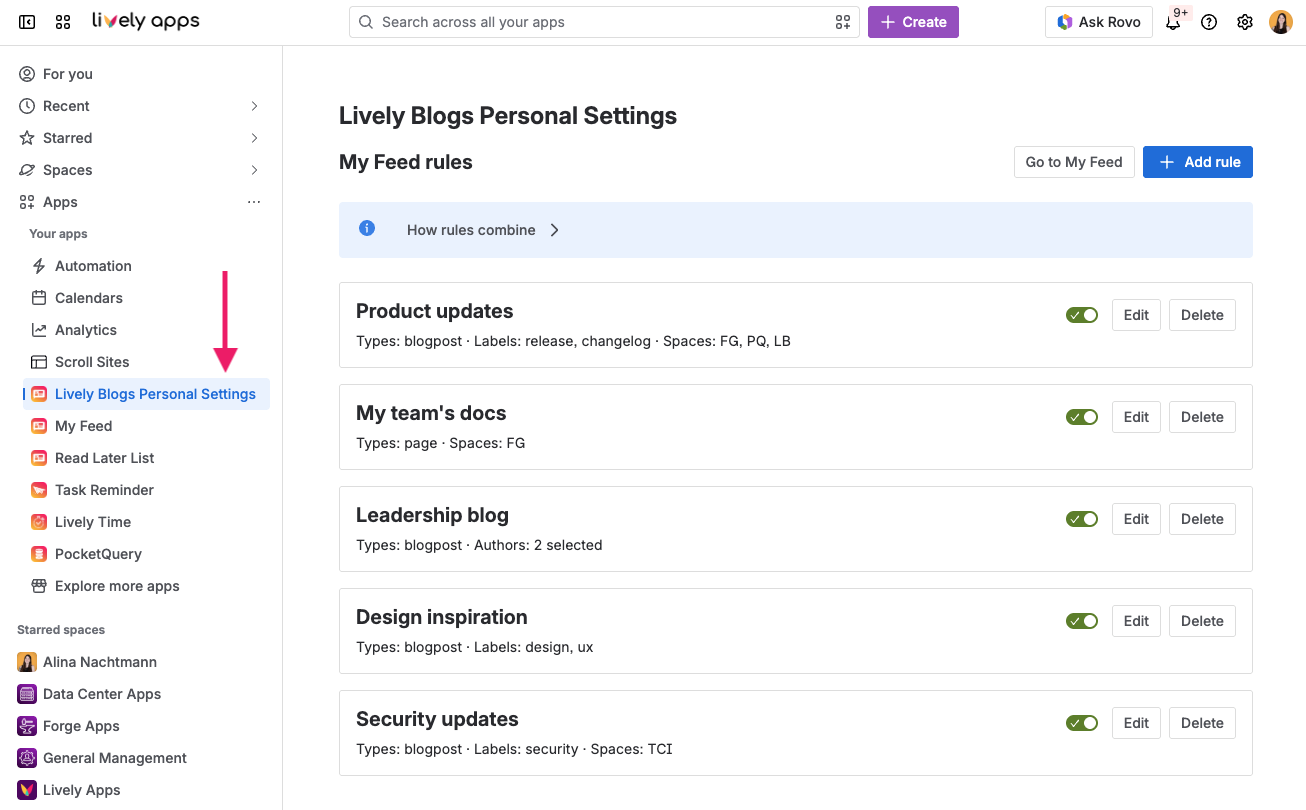
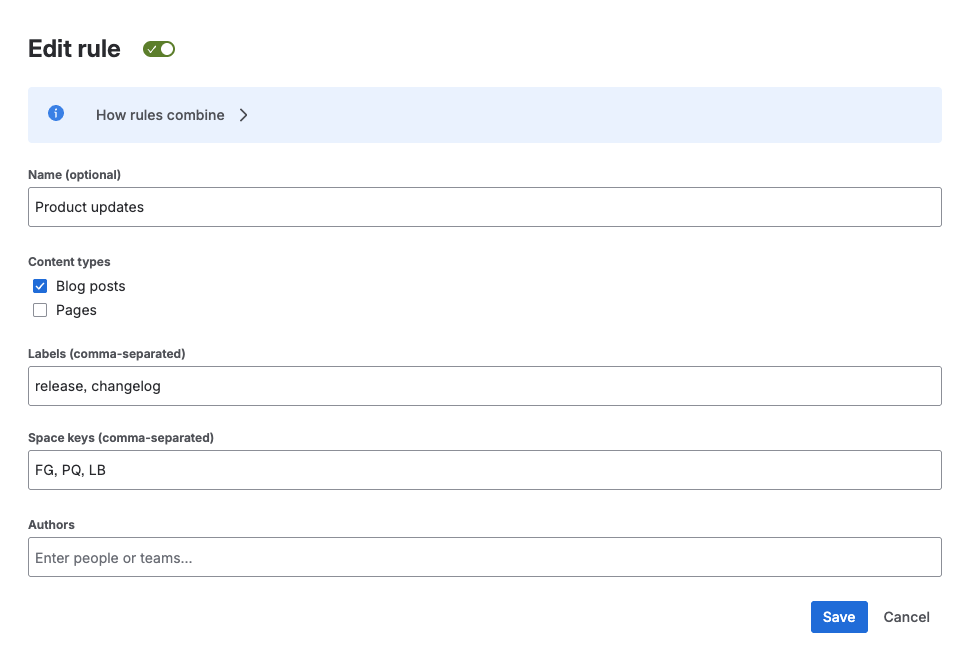
Manage your rules under Apps → Lively Blogs Personal Settings. Each rule is a filter you control. Combine labels, spaces, and authors to narrow in on what matters, and choose whether to include blog posts, pages, or both:
-
Relevant, not noisy. Content must match every criterion within a rule. That keeps broad labels useful without pulling in unrelated posts.
-
Flexible coverage. Create up to 10 rules and enable only the ones you need. Active rules work together, so you can follow several topics at once.
How rules combine
|
Between rules |
OR |
Content matching any active rule appears in your feed. |
|
Inside one rule |
AND |
Content type and each filled field (labels, spaces, authors) must all match. |
|
Comma-separated values |
OR |
e.g. labels "news, release" matches either label. |
|
Content types |
OR |
Blog posts and/or pages if both are selected. |
Your My Feed page
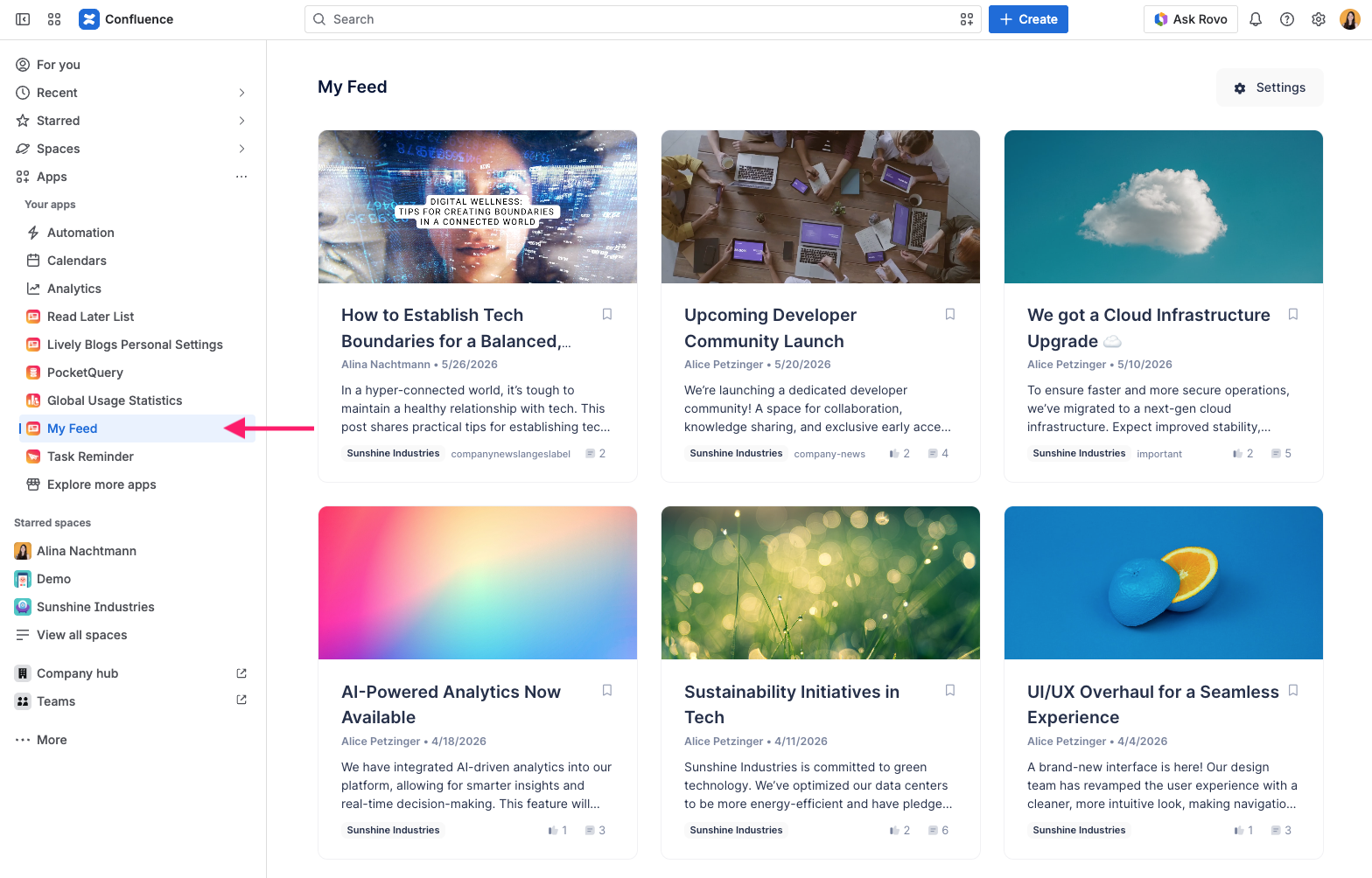
Open Apps → My Feed for a dedicated view of everything that matches your active rules. Everyone uses the same page, but what you see depends on your personal subscriptions. Posts appear in a paginated grid.
My Feed on the Homepage
The Homepage Feed lets you switch between Company Feed, My Feed, and Read Later without leaving the Confluence dashboard.
-
Company Feed shows the team-wide stream configured by your admin.
-
My Feed shows content that matches your personal rules.
-
Read Later shows posts and pages you saved for later. See Read Later List for details.
Embed My Feed on any page
Add the My Feed macro to a Confluence page to show your personal feed wherever you need it.
The embedded feed uses the same rules as your global My Feed page. On a shared page, each person sees their own My Feed.