
The My Feed macro embeds your personal subscription feed on any Confluence page. Bring the content you follow to team hubs, project overviews, or department landing pages - without asking readers to leave the page or open the global My Feed view.
Add the macro to a page
Edit any Confluence page and insert the macro:
-
Open the page editor.
-
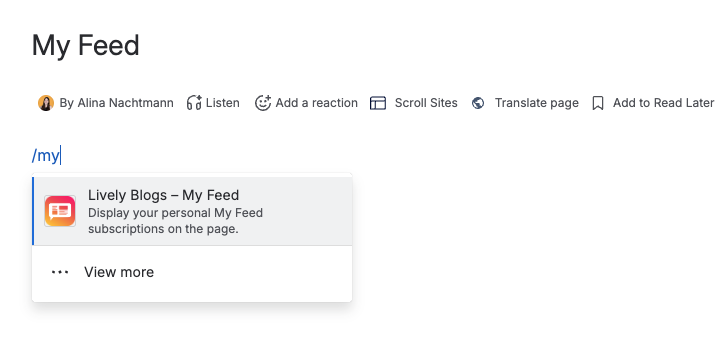
Type /My Feed or open the macro browser and search for Lively Blogs - My Feed.
-
Insert the macro and publish the page.
The macro has no extra parameters. It automatically uses your personal subscription rules from Lively Blogs Personal Settings.
What the macro shows
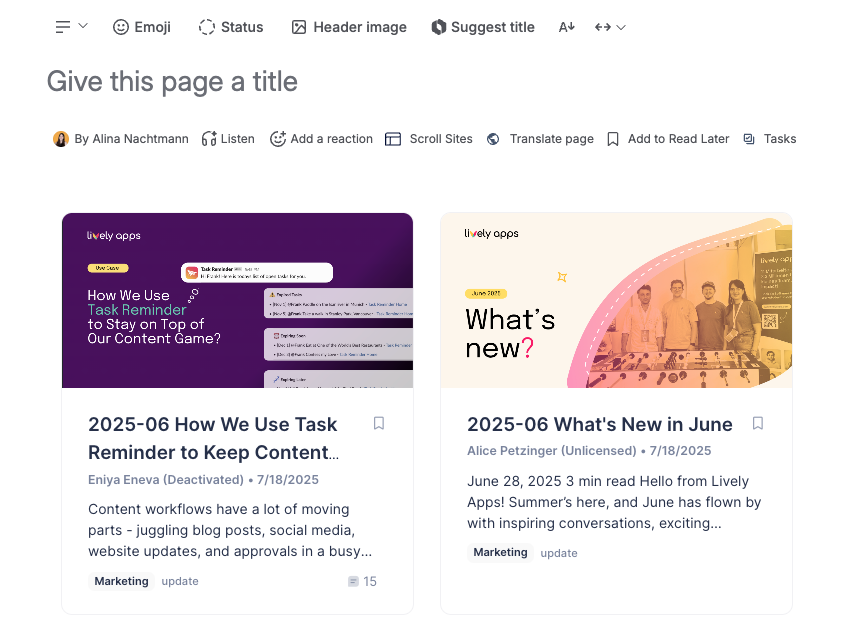
The embedded feed displays the same content as your global My Feed page: blog posts and pages that match your active subscription rules, in a paginated grid.
On shared pages
When the macro is on a page that many people visit, each viewer sees their own My Feed. Your rules stay private, and colleagues see content based on their own subscriptions.
New to subscription rules? See My Feed for how to set up labels, spaces, authors, and content types.