
Advanced Edition Feature - Check Link Status is available with the Advanced edition of Link Management. If your organization is on the Standard edition, you will see a message in the space settings explaining how to upgrade.
Link Management can check the links in your Confluence space and tell you which ones are working and which ones are broken. This works for both external links (pointing to websites outside Confluence) and internal links (pointing to other Confluence pages or content).
Getting started
To use link checking, your organization needs to be on the Advanced edition of Link Management. You can check your current edition in the Atlassian Marketplace or ask your site administrator.
Once you are on the Advanced edition, the feature is available in all spaces where Link Management is active - no additional configuration required.
Checking links in a space
To check the links in your space:
-
Go to your space and open Space Settings > Integrations > Link Management
-
Click the Check Links button
-
Link Management will check all links and display their status
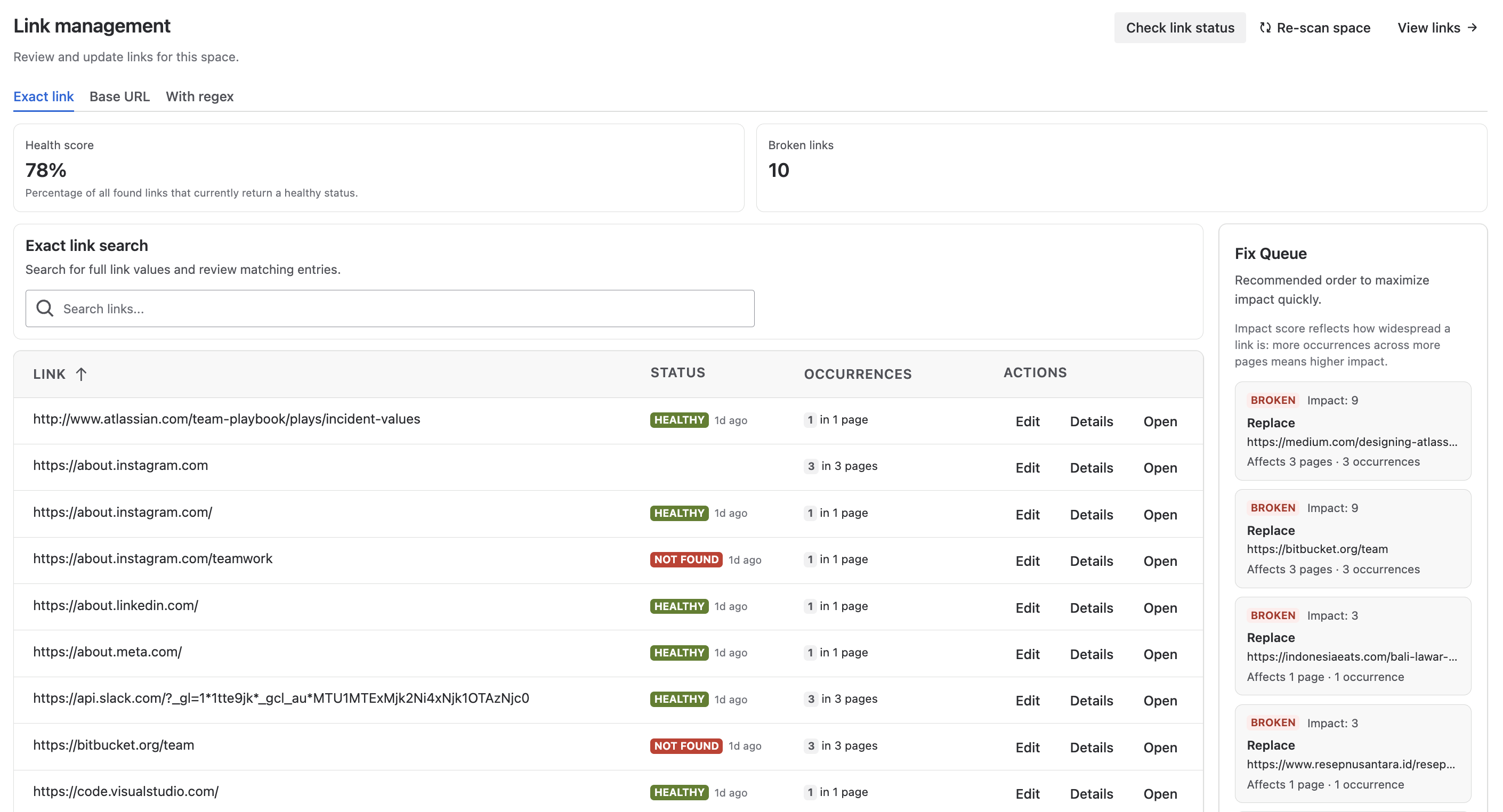
Hover over the status icon for details:

Understanding link statuses
After a check completes, each link shows a status indicator:
-
Working - The link is reachable and responds correctly
-
Broken - The link could not be reached or returned an error
-
Unverifiable - The link could not be checked reliably, for example because the website blocks automated requests or timed out repeatedly. A short reason is shown so you know what happened.
You can use this information to identify and fix broken links before your readers encounter them. To edit a broken link, simply navigate to the page containing it and update the URL.