
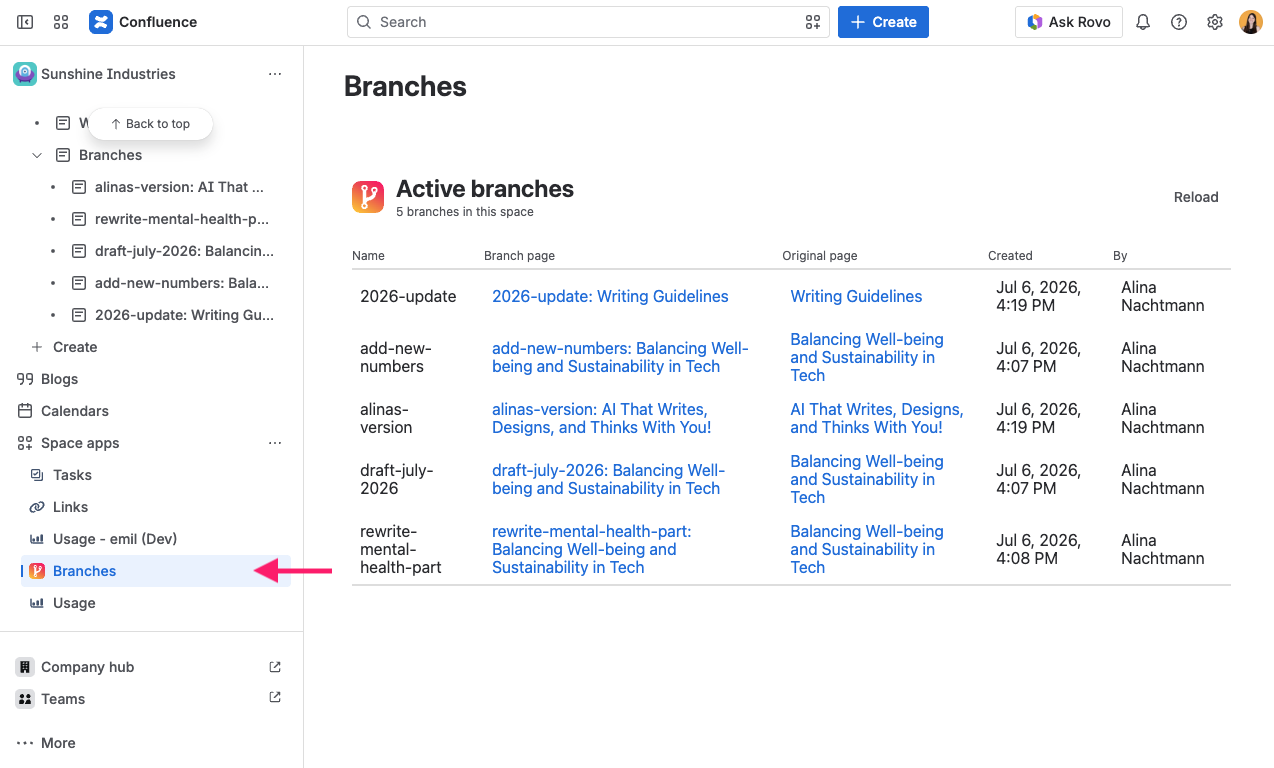
Open the Branches entry in your space (provided by the Page Branching Forge space page) to see every active branch in the space in one table. From there you can jump to any branch.
Approval status
In spaces where merges require approval, the table gains a Status column that shows where each branch stands: Edited, Waiting for approval, Approved, Changes requested, or Approval outdated. The column is hidden in spaces that do not require approval.
If you may decide on a branch, its row also offers Review diff to decide. That opens the diff for the branch so you can approve it or request changes without leaving the overview. See Merge Approval for the full workflow.
Approval activity
Space administrators additionally see an Approval activity log below the branch table: who submitted, approved, rejected, or merged which branch, when, against which page versions, and any comment that was given. Entries stay in the log after a branch page has been merged, archived, or deleted, and older entries load in batches with Show older activity.
Branches Page Branching can’t open
Space administrators also find a section Branches Page Branching can’t open. Page Branching keeps its own list of the branches in a space. A branch can stay on that list after its page was deleted, or when page restrictions leave Page Branching out. It then still counts towards the branch limit, but nobody can see or delete it.
-
Click Check branches. Page Branching checks the branches on its list and reports how many it checked. In a space with many branches, continue with Check more branches.
-
For each branch it can’t open, the section names the branch, its original page and the reason, for example “The branch page is in the trash.” or “Page Branching can’t open this page. It was deleted, or its restrictions leave Page Branching out.”
-
Click Remove to take a branch off Page Branching’s list. The page itself is not changed.
Only remove a branch that Page Branching can’t open if its page no longer exists. A branch that still exists behind page restrictions keeps working for whoever can open it, but once removed, it is no longer listed and no longer counts towards the branch limit.