
On a branch page, the byline shows the branch name and the status compared to the original page (for example, up to date or outdated).
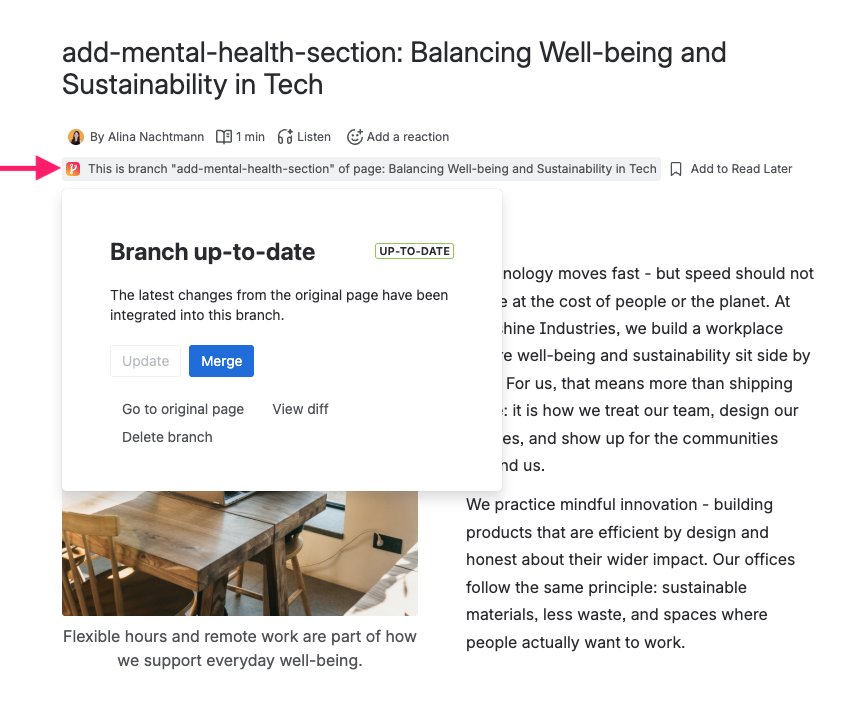
From the branch byline you can:
-
Update / Sync – pull the latest changes from the original page into the branch
-
Merge – apply branch changes to the original page
-
Diff – compare the rendered branch and original side by side (see Comparing branches)
-
Delete – remove the branch
You can also merge changes from the original page into the branch when you need to align a long-lived branch with the latest content.
When merges require approval
If a space administrator has turned on Merges require approval for the space, the byline shows an additional Merge approval panel, and Merge stays unavailable until the branch has been approved. Only merges into the original page are affected; updating a branch from its original page never needs an approval.
See Merge Approval for how to submit a branch and how approvers decide.