
The Manager tab on the Task Reminder page gives team leads an overview of their team's workload (see Manager Overview). Here you decide who can open it.
Who should see the Manager tab?
-
Open Confluence administration and go to the Task Reminder Settings.
-
Select the Managers tab.
-
Start typing a group name and select the groups whose members should see the Manager tab. You can select up to 10 groups.
-
Click Save.
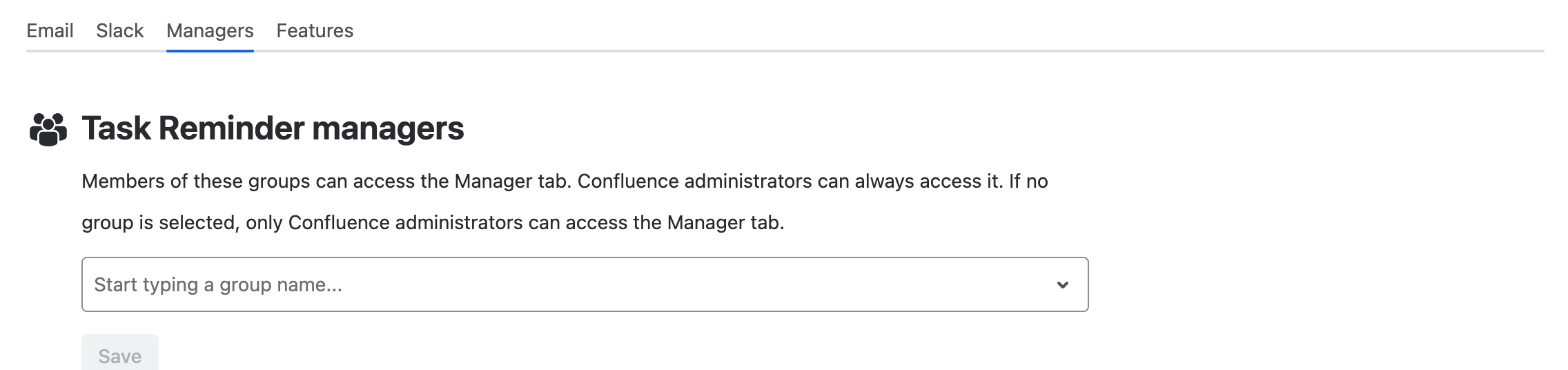
Confluence administrators can always open the Manager tab. If no group is selected, only Confluence administrators can open it - that's the default.
Good to know
-
This setting only controls access to the Manager tab. It does not change who receives reminders.
-
Managers choose their team from the groups in your email and Slack reminder settings, so make sure the teams they lead are part of these settings.
-
Managers only see tasks on content they are allowed to view themselves.