
PocketQuery allows you to display query results to users outside your organization, such as guest and anonymous users. Depending on the configuration, there are some limitations on how results can be loaded and displayed.
Overview
There are two types of external users:
-
Guest users – invited users with limited access
-
Anonymous users – users accessing public pages without authentication
Both can view PocketQuery results, but not all result modes are supported.
Supported Result Modes
Stored Modes (Recommended)
The following modes are supported for both guest and anonymous users:
-
Stored (manual refresh)
-
Stored (snapshot)
These modes display results that are stored in the page and do not require executing the query on page load.
👉 This makes them ideal for:
-
public pages
-
external sharing
-
high-traffic pages
Automatic Mode
-
Guest users: Not supported (unless explicitly enabled in query settings in future versions)
-
Anonymous users: Not supported
If a macro is set to Automatic, external users will not see any results.
What Users See
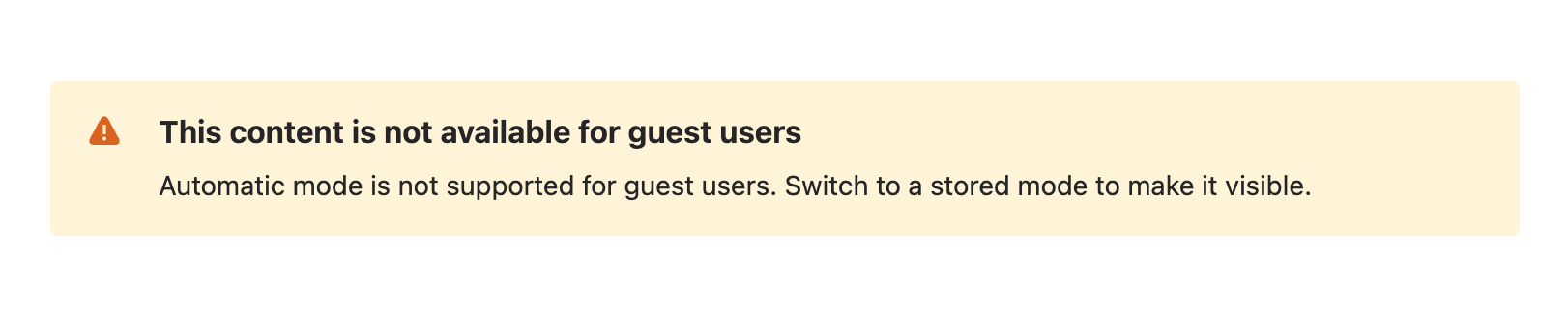
If Automatic mode is used on a page accessed by guest or anonymous users, a message is displayed instead of the results.
Guest users
This content is not available for guest users
Automatic mode is not supported for guest users.
Switch to a stored mode to make it visible.
Anonymous users
This content is not available
Automatic mode is not supported for anonymous users.
Switch to a stored mode to make it visible.
Example
When a page containing a PocketQuery macro in Automatic mode is opened by a guest or anonymous user, the result is replaced by a warning message.
Best Practices
-
Use Stored (manual refresh) for pages that need occasional updates
-
Use Stored (snapshot) for reports that should remain unchanged
-
Avoid Automatic mode on pages shared with external users
-
Test pages with guest or anonymous access before sharing
Summary
-
External users can only view stored results
-
Automatic mode is not available for them
-
Use stored modes to ensure reliable and secure access