
Beta feature - Column Formatting is currently in beta. We're actively improving it based on your feedback. If you run into any issues or have suggestions, please contact us.
PocketQuery can format the columns in your query results so they look clean and readable in Confluence. This works for dates, numbers, links, and status values. You can choose how each column appears without writing a custom template.
Unlocking the Beta Feature
Column Formatting is currently available as a beta feature and needs to be enabled once in the PocketQuery settings.
To activate it:
-
Navigate to PocketQuery in the Apps menu
-
Open Settings
-
Go to the Beta tab
-
Enable Column Formatting
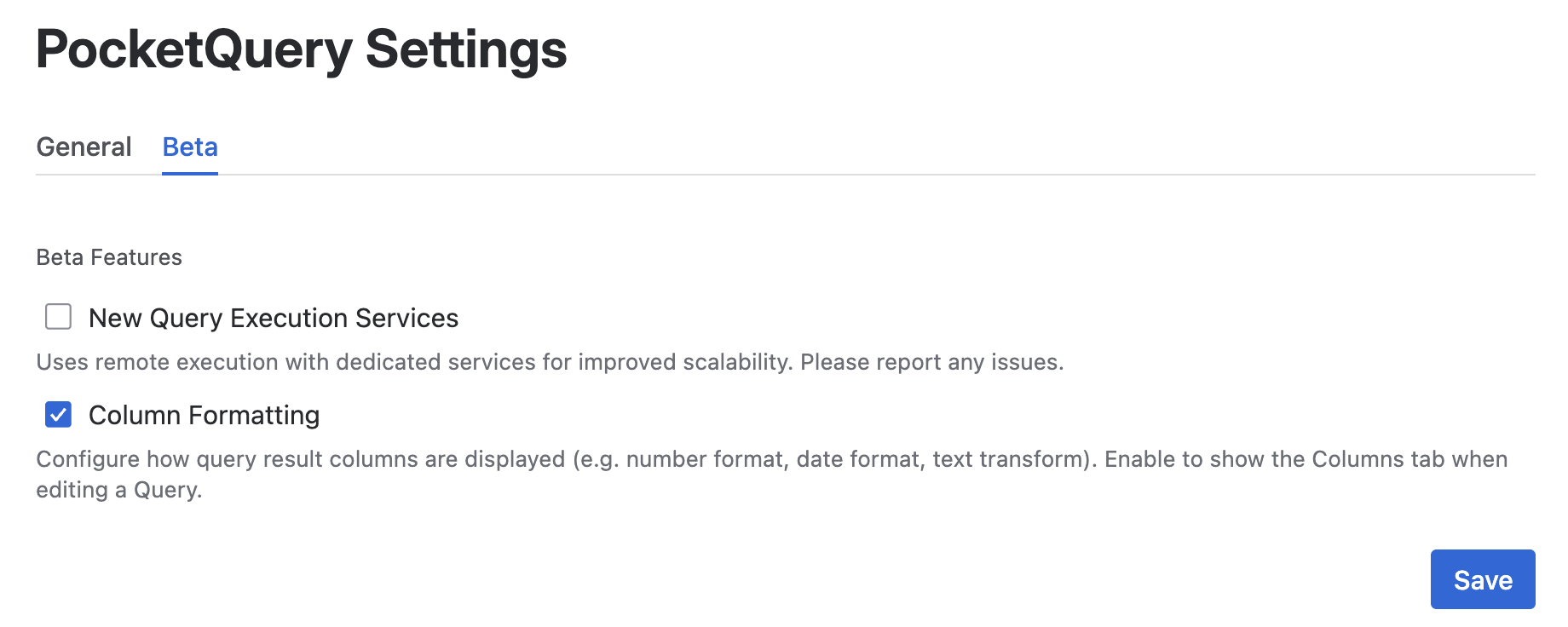
Once activated, the Column Formatting section will appear in your query configuration.
Configuring a Column
To add formatting to a column:
-
Navigate to PocketQuery in the Apps menu
-
Open Administration and select your query
-
Select Columns section in the query configuration
-
Choose the column you want to format
-
Pick a value type (Date, Number, Currency, Boolean or Text) and configure the options
.png?cb=755caeb54260b62a53eaf33737f24f0d)
-
Save your query and refresh the Confluence page where the PocketQuery macro is used
Your data will update with the new formatting. No code, no template edits.
👉 For example, a due date column showing 2025-03-15T00:00:00.000Z can be formatted to display as Mar 15, 2025.
Understanding Value Types
Column Formatting currently supports the following value types:
|
Value Type |
Available presets |
What you can control |
|---|---|---|
|
Date |
|
Display format of dates and timestamps |
|
Number |
|
Number formatting and representation |
|
Currency |
|
Currency style and negative number display |
|
Boolean |
|
Display labels for true and false values |
|
Text |
|
Text transformation |
You can use this information to present your data clearly without exposing raw values to your readers. Column Formatting works alongside custom Templates, so you can use it for the easy stuff and drop into Velocity (VTL) when you need full control.
Advanced Format Settings (JSON)
If none of the available presets match your use case, you can define your own format in the Advanced format settings field. For details and examples, see the Advanced format settings (JSON) page.