
You can easily see which Confluence pages use a specific Query. The Query editor sidebar includes a Pages with this Query section with direct links to each page, and an Available in Rovo card that shows whether the Ask PocketQuery agent can use the query:
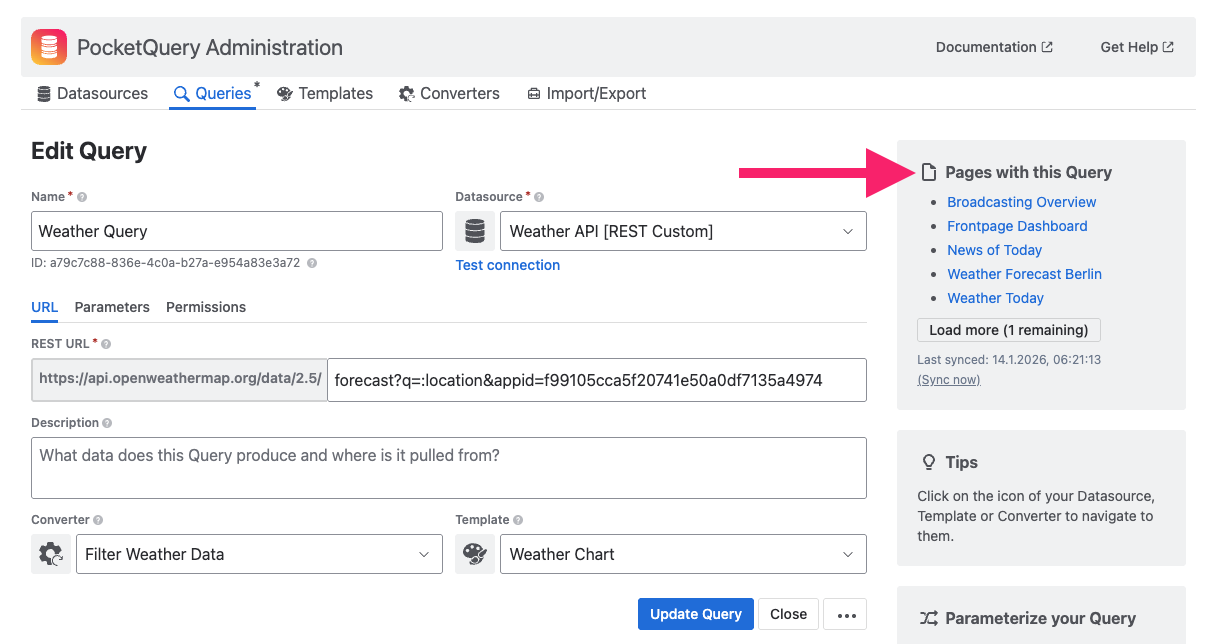
The list only includes pages you are allowed to view. Pages with restrictions that exclude you are left out, so a Query may be used on more pages than you can see.
This makes it easier to:
-
Understand where a Query is being used
-
Navigate to related pages with a single click
-
Update or clean up Queries without breaking existing content
Scanning pages for PocketQuery macros
Confluence pages are automatically scanned once per day to keep this information up to date. The scan runs at the same time of day when the PocketQuery app was originally installed. The timestamp of the most recent scan is shown below the list of pages:
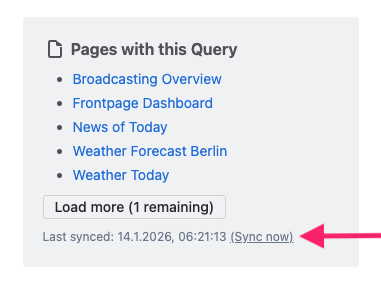
If you need the latest information immediately, you can use the “Sync now” link to manually refresh the list of pages.